
Choose the product you want.
Log in, search for a product, then select the right variant and quantity for your needs.
- Search or open a product
- Choose variant and quantity
- Submit the product for quotation
Search, choose your variant, and request a quotation. Once you approve the all-in price and pay, Banthu processes your order and delivers it to your address.

No complicated checklist to memorize. The platform guides you through product selection and quotation, then Banthu takes care of the order journey.
Log in, search for a product, then select the right variant and quantity for your needs.

Banthu prepares your all-in quotation so you can review the total before confirming the order.

After payment, Banthu processes your order and manages the journey until it reaches your address.
Follow the actual Banthu screens from product search to order tracking. Labels may change slightly as the platform is updated, but the journey stays the same.
Paste a 1688 product link or enter a keyword in the search bar. Banthu will open the product or show matching options for you to compare.
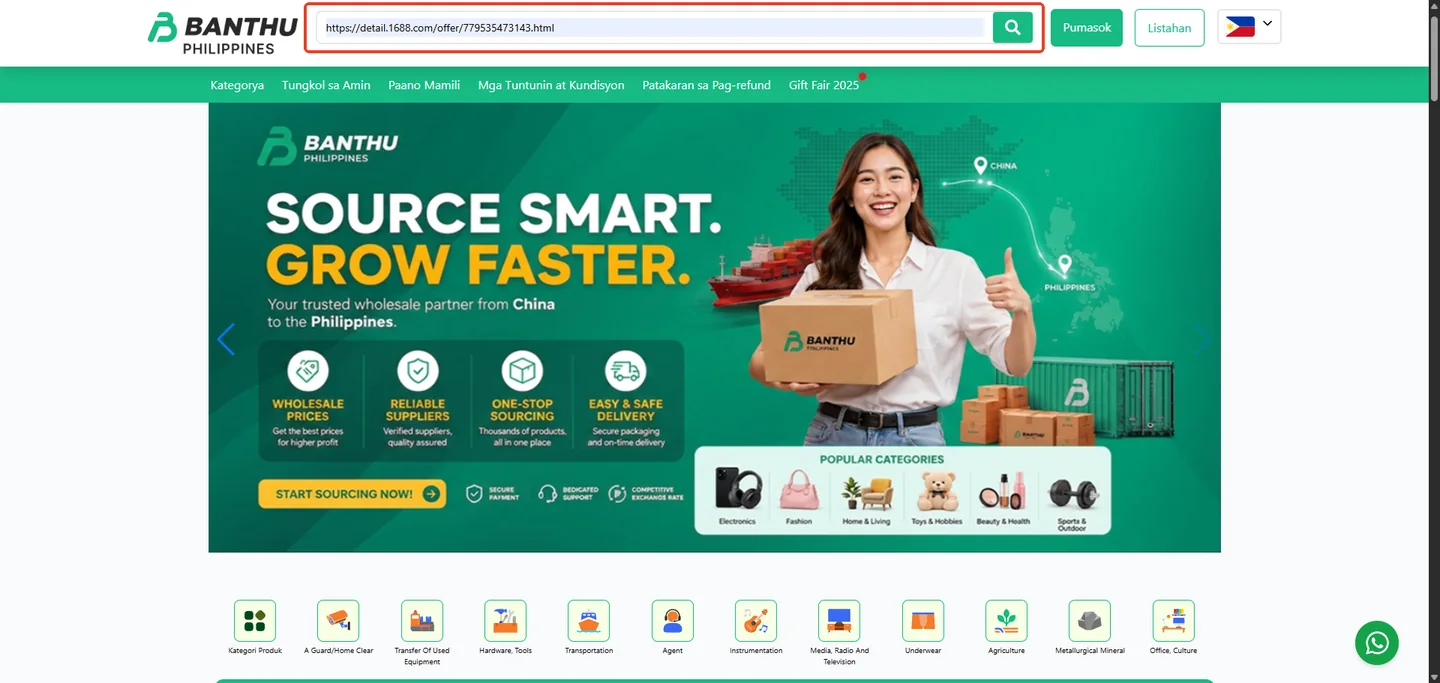
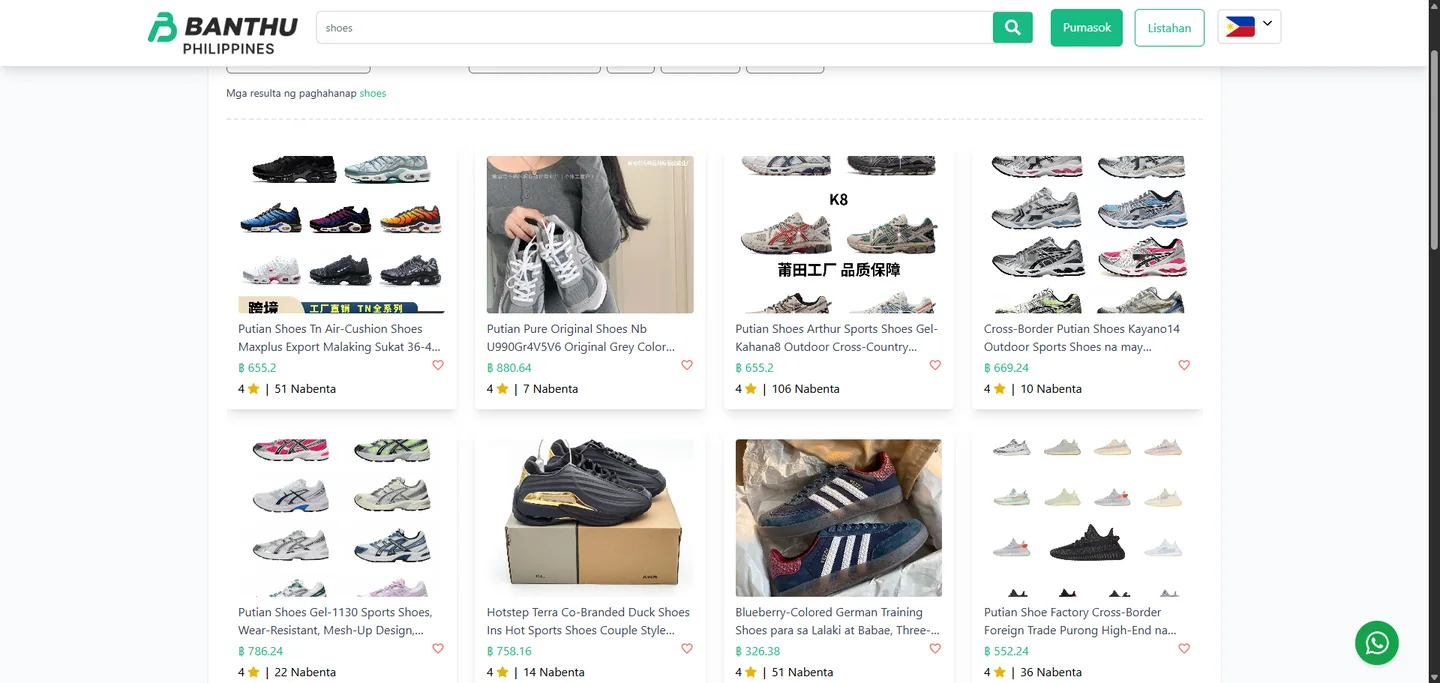
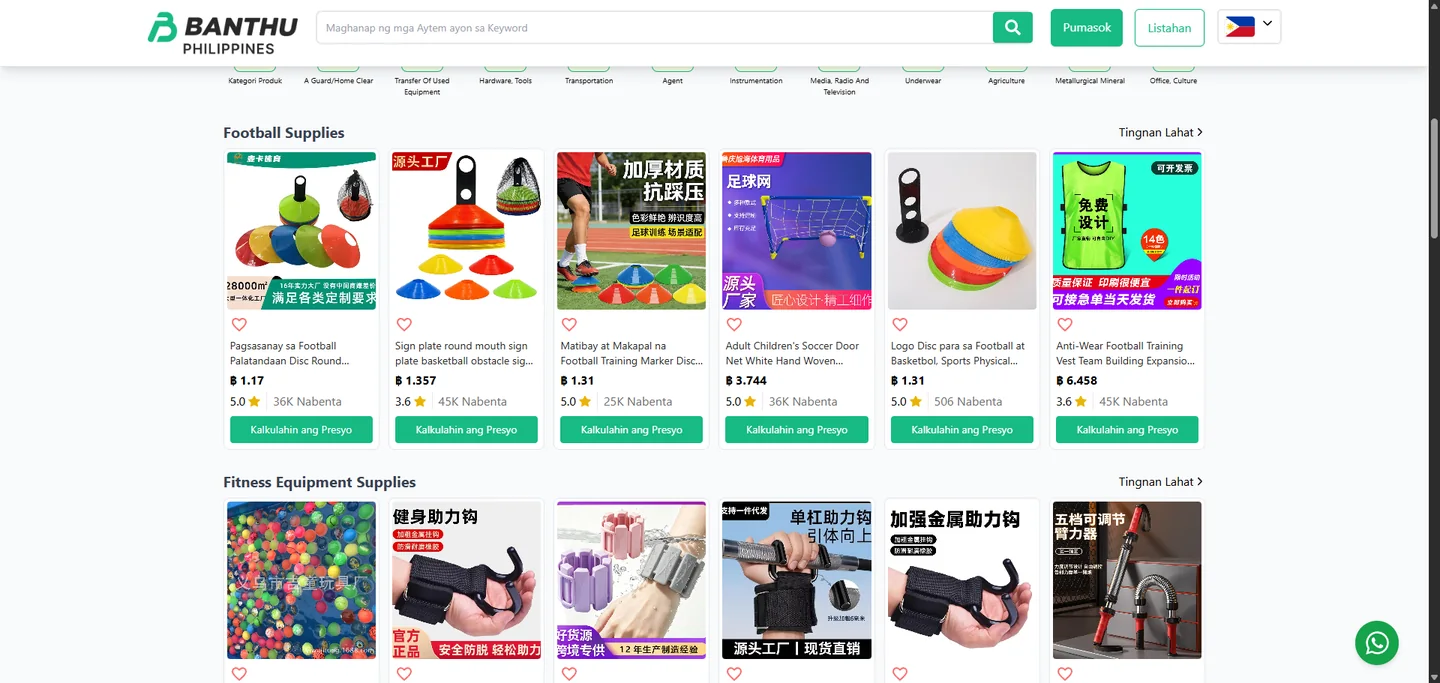
Prefer to look around first? Browse product categories and collections until you find an item that fits your needs.
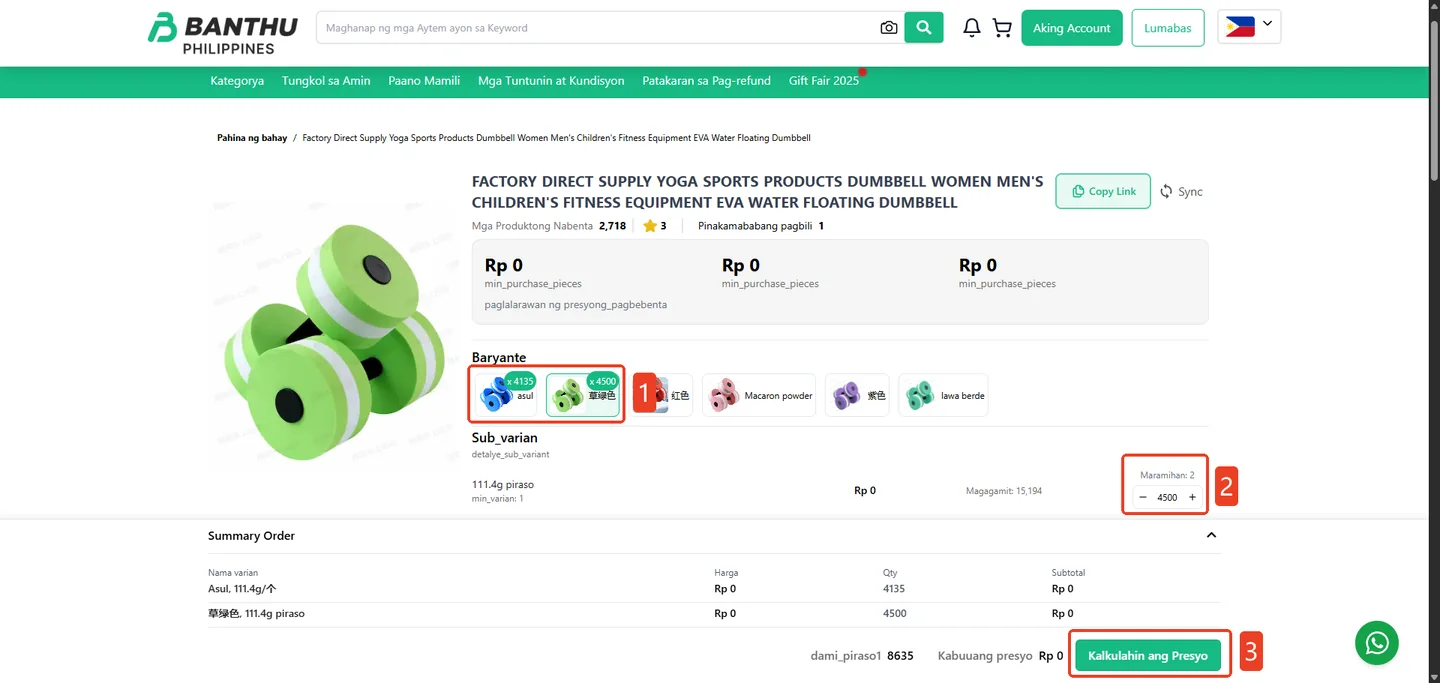
Open the product, select the variant and quantity, review the order summary, then choose Calculate Price.
Your request appears under Calculating while Banthu verifies the product and prepares the complete landed cost.
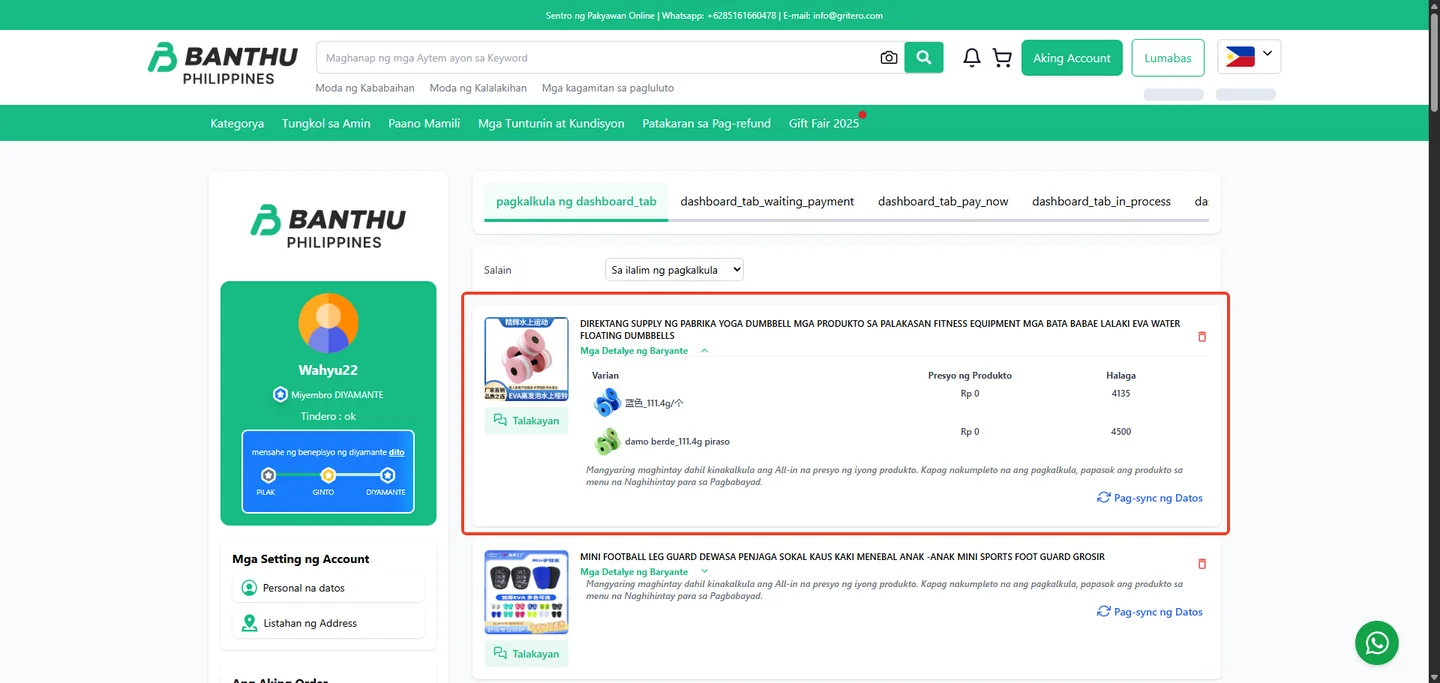
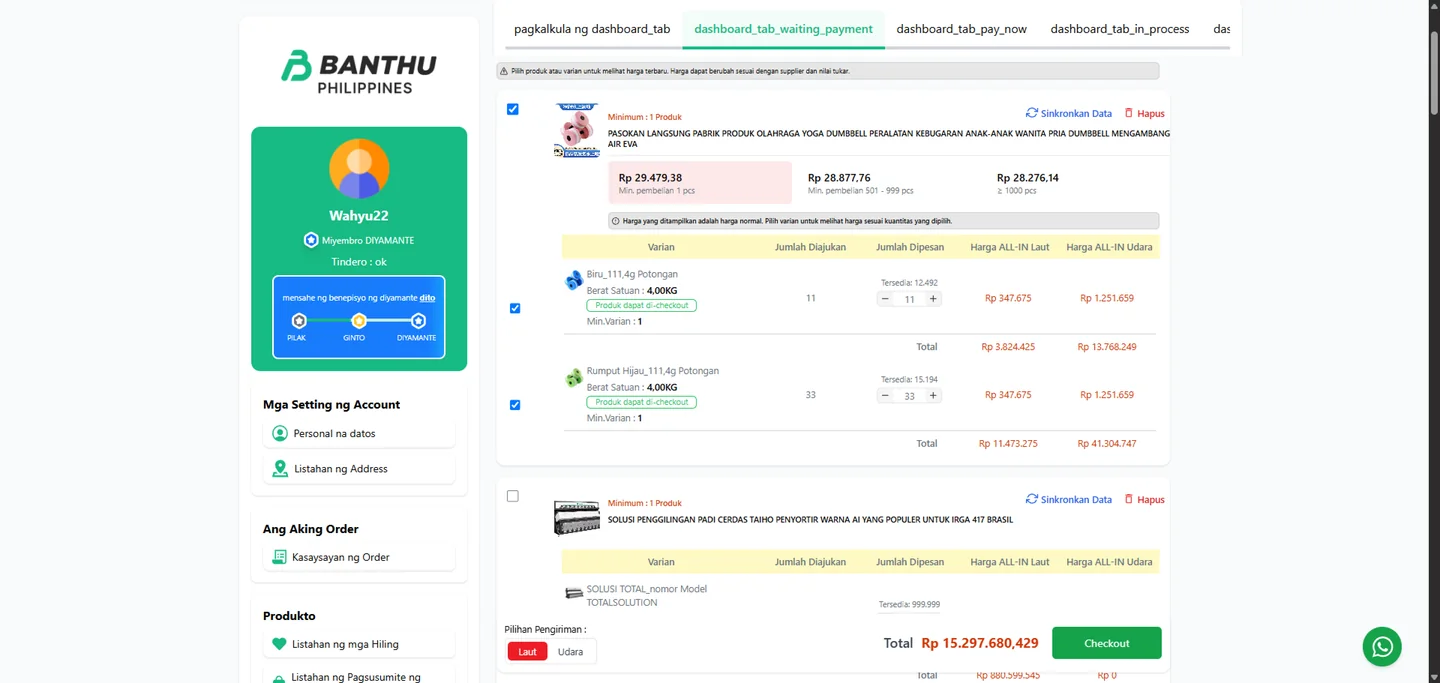
Once calculated, the product moves to Waiting for Payment. Review the variants, quantities, and sea or air all-in pricing, select what you want to buy, then choose Checkout.
Open the payment method selector, then choose QRPh to link it to your checkout.
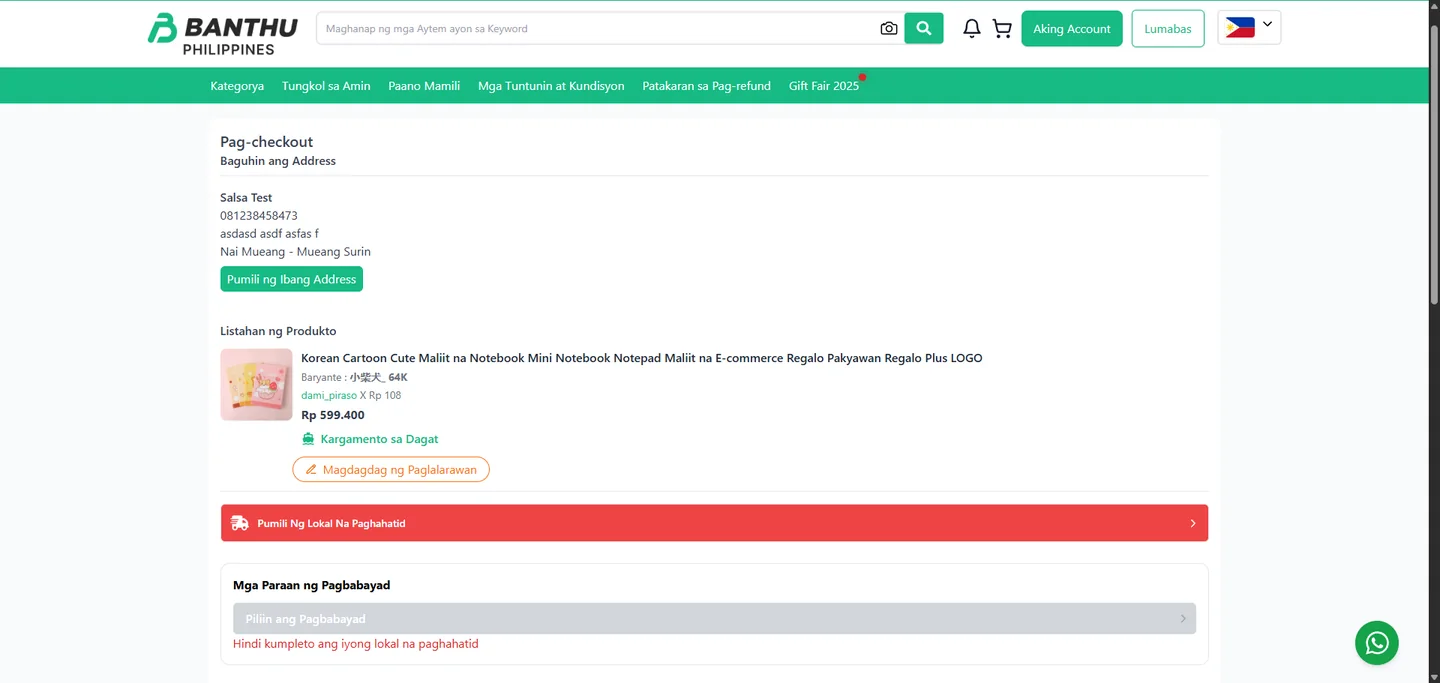
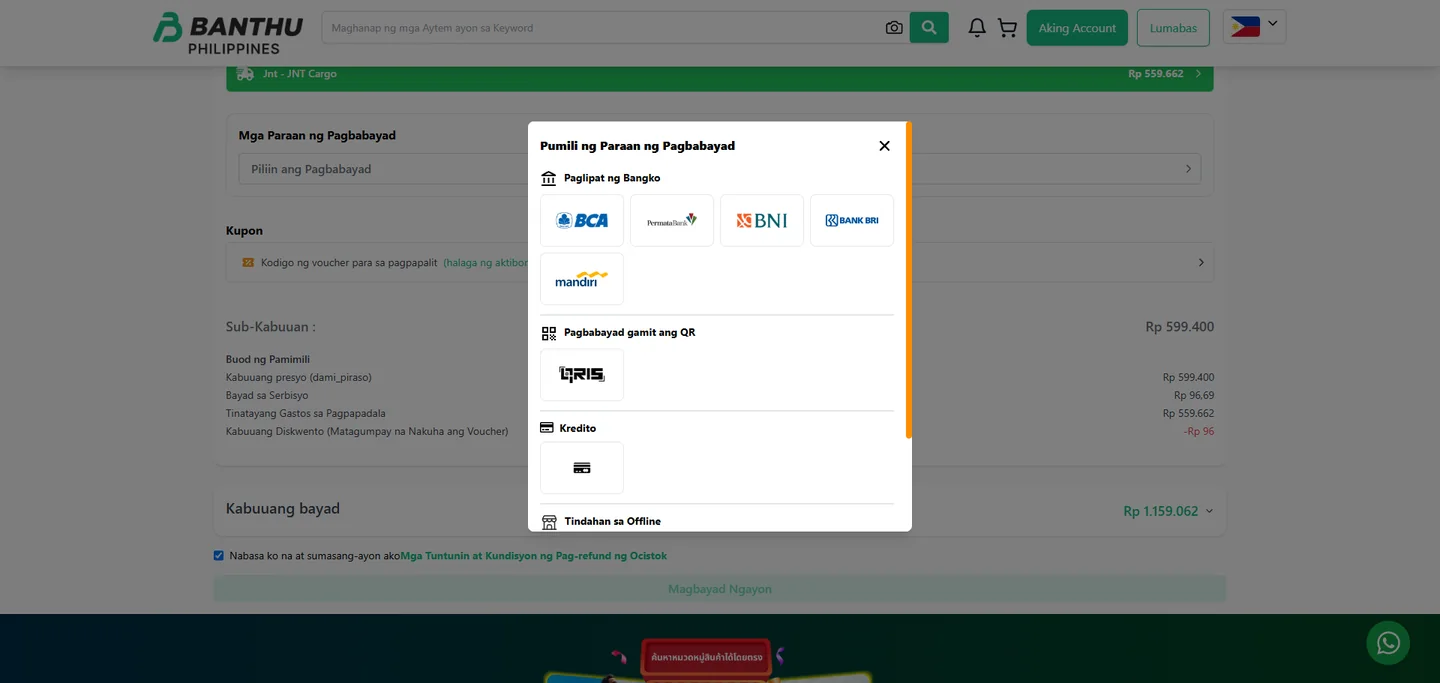
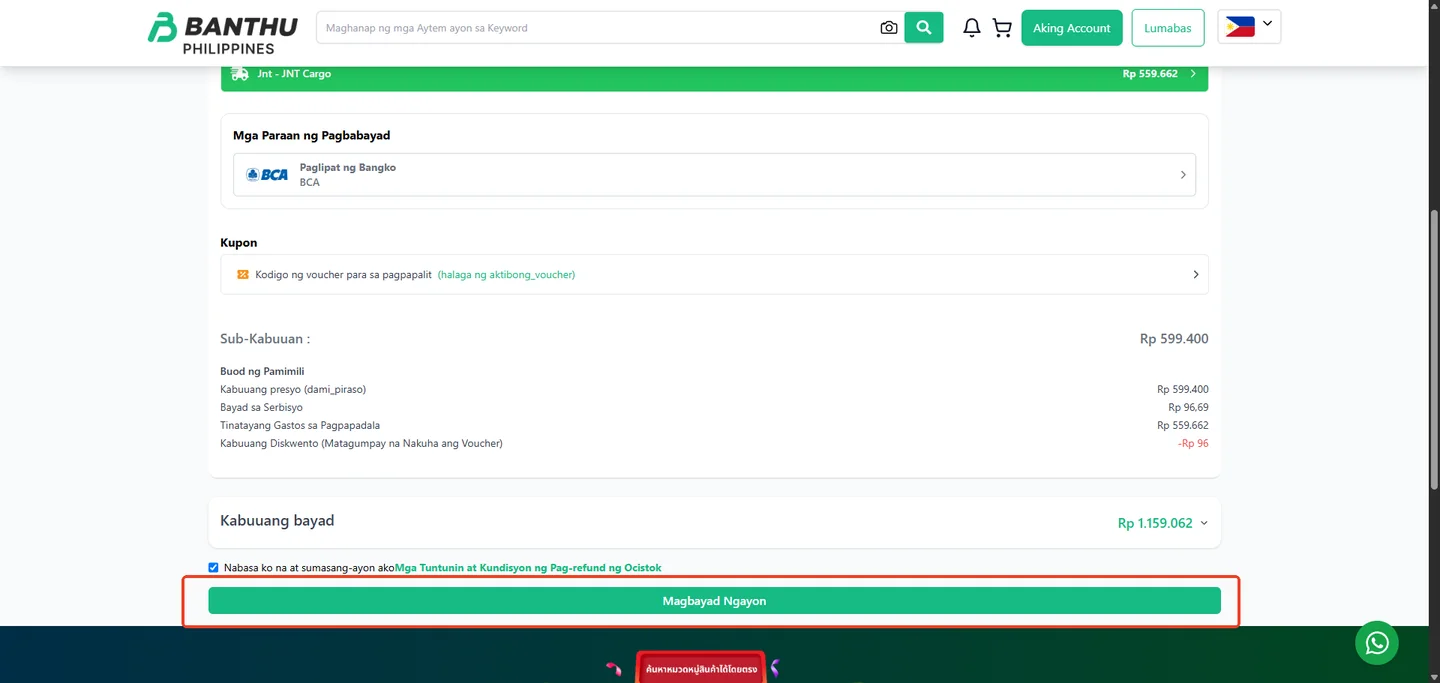
Review the product summary, selected payment method, subtotal, delivery estimate, and final amount. Agree to the refund terms, then select Pay Now.
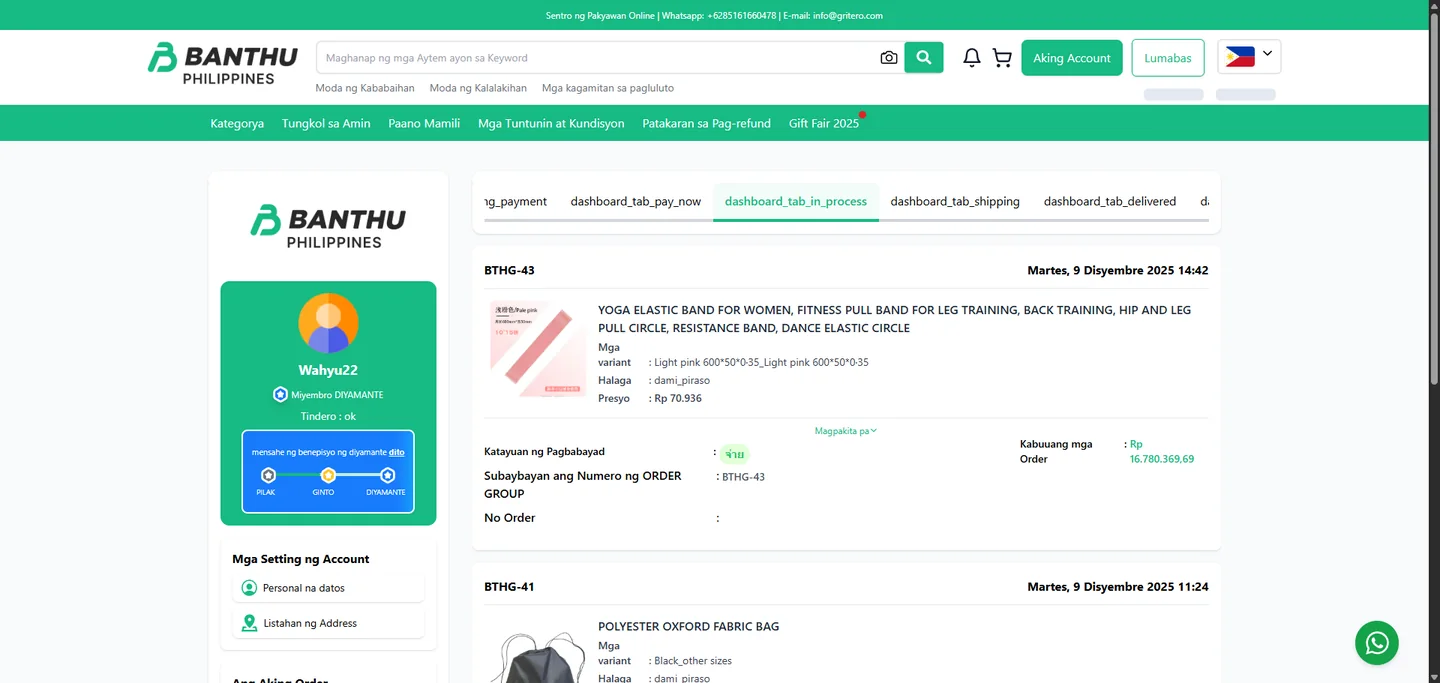
Follow payment status, processing, shipping, and delivery from your Banthu account while the order moves toward your address.
You focus on choosing the right product and approving the price. Banthu handles the operational work that makes importing feel complicated.
Your quotation gives you one clear amount to review before checkout. Confirm only when the product details and price work for you.
From sourcing in China to payment and delivery in the Philippines, Banthu works with established platforms and partners to make importing simpler, more familiar, and more reliable.
Banthu helps customers source products from major Chinese marketplaces, giving access to a wider range of suppliers, products, and price points.



Banthu customers can pay in PHP through familiar methods, including QRPh, GCash, GrabPay, Maya, ShopeePay, Google Pay, major cards, online banking, and Buy Now Pay Later via BillEase.

Banthu’s primary payment partner for convenient PHP checkout.
 QRPh
QRPh GCash
GCash GrabPay
 Maya
Maya ShopeePay
 Google Pay
 Visa & Mastercard
 BDO
BDO BPI
BPI Landbank
 Metrobank
 RCBC
RCBC UnionBank
 BillEase
Selected online banking methods are powered by Brankas.
Banthu connects cross-border logistics, local delivery, and omnichannel operations through trusted specialist partners.

Cross-border logistics from China to the Philippines.

Local delivery support for larger shipments.

Centralized products, orders, inventory, and warehouse workflows.
Every stage is designed to keep your next decision clear while Banthu keeps the cross-border work moving.
Find what your business needs, select the details, and request your all-in quotation. Banthu will guide the rest.